

Best Laptop Overall
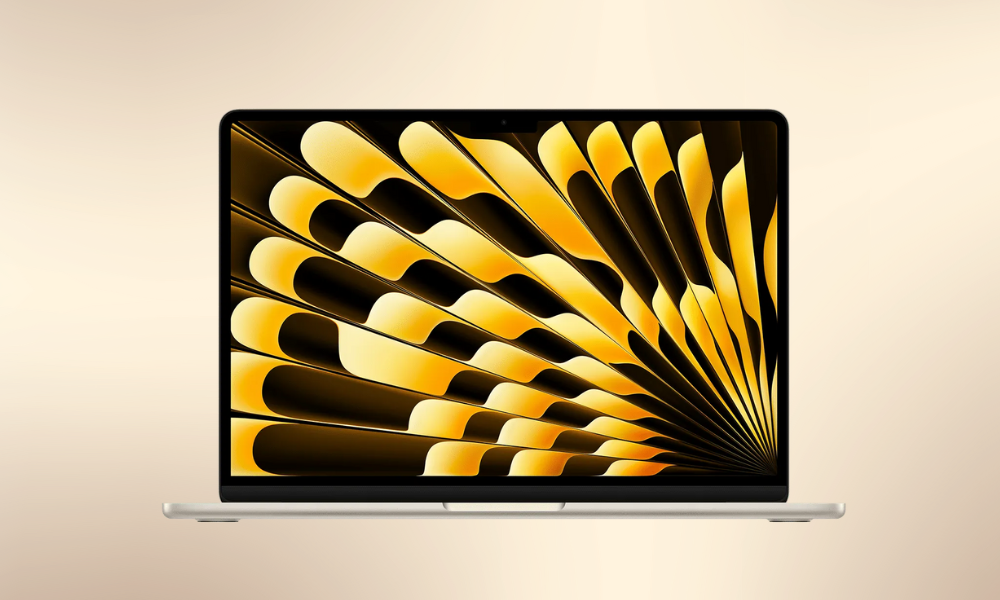
MacBook Air M4 (15-inch, 2025)
Pros
- Big 15-inch screen in a thin, lightweight body
- Excellent balance of power and battery life
- Now more affordable
Cons
- 256GB storage feels small at this price
- RAM and storage upgrades are expensive
- No ProMotion display
Apple has proven that you don’t need a MacBook Pro just to enjoy a large screen. The 15-inch MacBook Air offers a spacious display in a sleek, travel-friendly design — perfect for professionals, students and remote workers.
Why we love it
Powered by Apple’s M4 chip with 16GB RAM, it handles everyday work, creative apps and multitasking with ease. It sits right in the “sweet spot” of Apple’s lineup — not too expensive, not underpowered.
Who should buy it
Anyone who wants a large, premium MacBook without paying Pro-level prices.
Who should skip it
Students on a tight budget should look at the 13-inch Air, while heavy video editors and 3D designers will need a MacBook Pro.
Buy on Amazon
Key Specs
Battery~16 hrs
Weight3.3 lb
Display15.3″ 2880×1864
ChipApple M4
OSmacOS Sequoia
Best Windows Laptop for Indian College Students
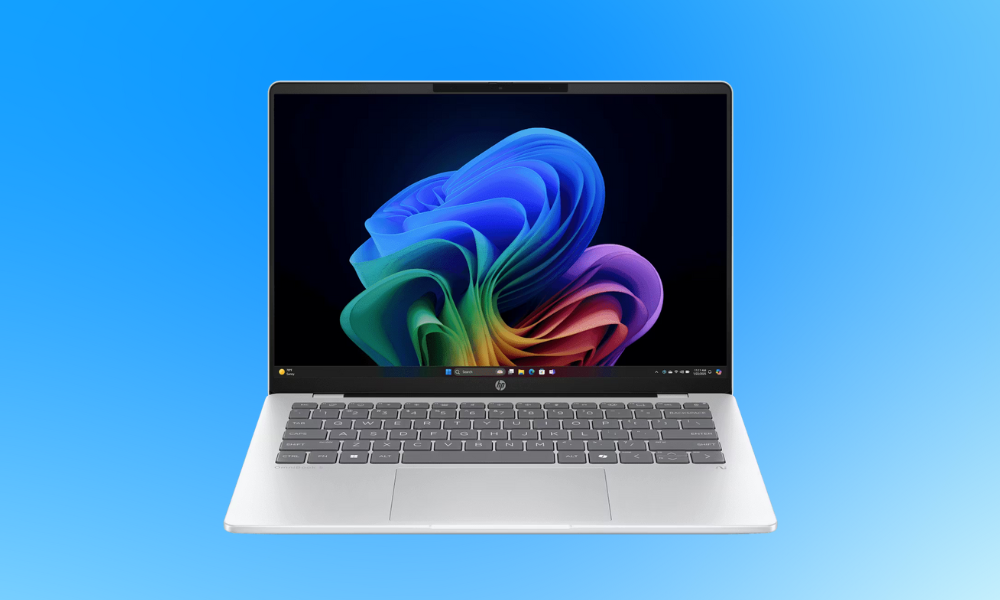
HP OmniBook 5 (14-inch)
What’s good
- Outstanding all-day (and all-night) battery backup
- Premium yet lightweight body, easy to carry to class
- OLED screen with rich colours and deep contrast
- High 16GB RAM and 1TB storage at a competitive price
What could be better
- Screen brightness is average for outdoor use
- USB-C charging and data speeds are not very fast
Why it stands out
The HP OmniBook 5 (14) is built for students who are always moving between lectures, libraries and cafés. One of its biggest highlights is its industry-leading battery life, which lasts over 28 hours on a single charge.
Its OLED display offers sharp visuals, true blacks and vibrant colours—great for watching movies, editing photos or browsing the web. The laptop is slim, stylish and lightweight, making it easy to carry every day.
With 16GB RAM and a 1TB SSD, it delivers fast multitasking and plenty of space for notes, software, videos and projects—rare at this price in India.
Who should buy it
College students, remote workers and frequent travellers who want long battery life, smooth performance, a premium display and a lightweight Windows laptop.
Who should avoid it
Users who rely on older Windows software that may not run well on Snapdragon-powered laptops.
Buy on Amazon
Key Specifications
Battery LifeUp to 28 hours
WeightAround 1.3 kg
Display14″ OLED (1920 × 1200)
ProcessorQualcomm Snapdragon X Plus
GraphicsQualcomm Adreno
RAM16GB
Storage1TB SSD
Editor’s note
For Indian students looking for a modern, powerful and long-lasting Windows laptop under ₹1 lakh, the HP OmniBook 5 (14-inch) is one of the best options available.
Best Budget Gaming Laptop in India
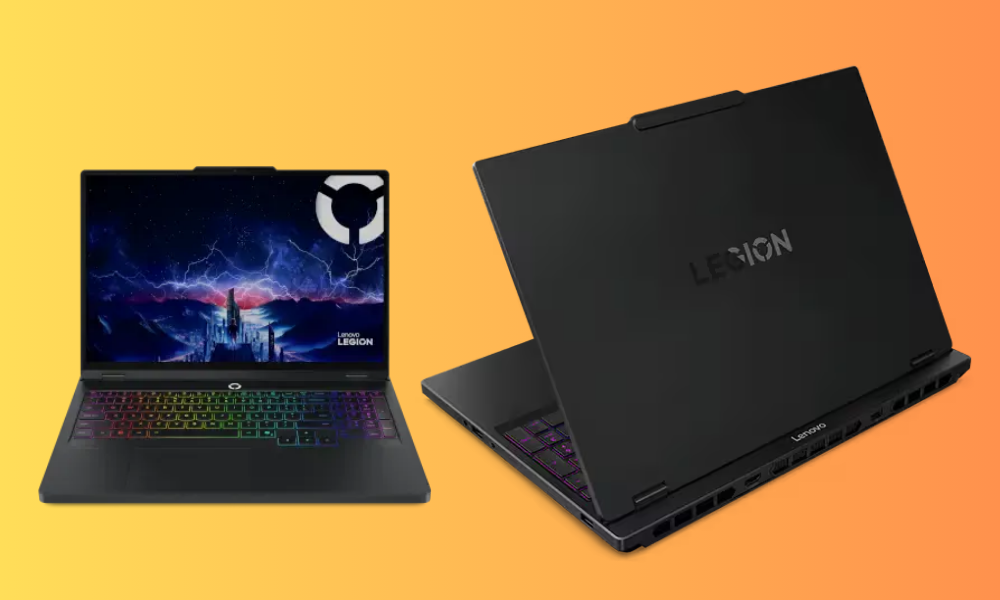
Lenovo Legion 5i Gen 10
What you’ll love
- Sharp and ultra-smooth 2.5K OLED display
- Responsive keyboard that feels great while gaming
- Slim and lightweight for a gaming laptop
- Extra M.2 slot lets you add more SSD storage later
Where it falls short
- Battery backup is quite limited
- No fingerprint reader or face unlock
- Missing high-speed Thunderbolt / USB4 ports
- Power button light stays on and can be distracting
Why this laptop stands out
The Lenovo Legion 5i Gen 10 offers something rare in this segment—it works as both a serious gaming machine and a daily-use laptop. With its 15.1-inch OLED screen and relatively compact body, it doesn’t feel bulky like most gaming laptops.
The real star here is the OLED display. With 2.5K resolution, 165Hz refresh rate and high brightness, everything looks sharp, colourful and smooth—whether you’re gaming, watching movies or editing photos. For Indian buyers looking around ₹1.3 to ₹1.5 lakh, this level of display quality is hard to find.
Thanks to the powerful Intel Core i7 processor and NVIDIA RTX 5060 graphics, modern games run smoothly, and demanding tasks like video editing or 3D work are handled with ease.
Who should buy it
Indian gamers who want high performance without spending on premium flagship models, content creators who need an accurate, vibrant display, and users who want a laptop that can handle both work and play.
Who should skip it
If you need a laptop that lasts all day on battery for college or office use, this may not be the best choice. Like most gaming laptops, it’s meant to be used mostly while plugged in.
Buy on Amazon
Key Specifications
Battery lifeAround 5.5 hours
WeightApprox. 1.95 kg
Display15.1″ OLED, 2560 × 1600, 165Hz
ProcessorIntel Core i7-14700HX
GraphicsNVIDIA GeForce RTX 5060
Editor’s note
For gamers in India looking for a powerful, stylish and reasonably priced gaming laptop, the Lenovo Legion 5i Gen 10 offers excellent value. Its stunning OLED display and strong performance make it one of the best gaming laptops you can buy in the ₹1–1.5 lakh range without going ultra-premium.
Best Large-Screen Budget Laptop in India
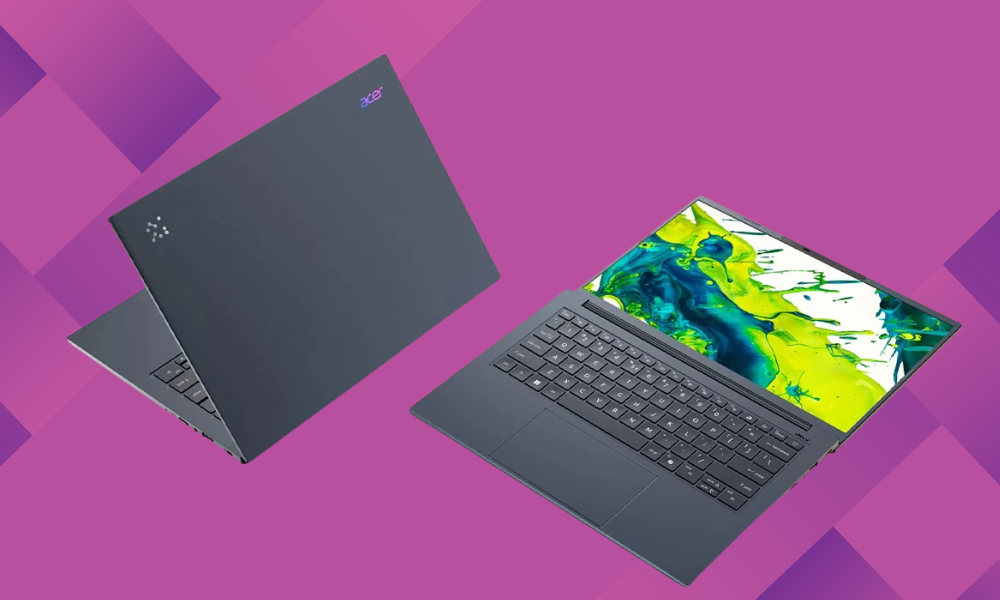
Acer Aspire 16 AI
What works really well
- Big 16-inch display without making the laptop feel heavy
- Extremely long battery life for all-day use
- Comfortable keyboard and wide touchpad for typing and browsing
- Sharp 1440p webcam for online classes and meetings
- Plenty of ports for external devices and accessories
What could be improved
- Design looks plain and functional
- Speakers are average for movies and music
Why it’s a great pick
The Acer Aspire 16 AI is perfect for users who want a large display without carrying a bulky laptop. Even with its 16-inch screen, it weighs just around 1.56 kg, which is lighter than many 15-inch laptops sold in India.
Its biggest advantage is the battery life, which can easily cross 20 hours on a single charge. That makes it ideal for students, professionals and remote workers who spend long hours away from a charging point.
The Aspire 16 AI also offers a smooth 120Hz Full HD+ display, which feels fluid while scrolling, watching videos or working on documents. Considering its expected Indian price of around ₹70,000 to ₹80,000, this combination of screen size, portability and battery life is excellent.
Who should buy it
People who want a bigger screen for work, study or entertainment, users who travel often and need a lightweight yet large laptop, and anyone looking for a budget-friendly productivity machine.
Who should skip it
If you move around constantly and prefer something even more compact, a 14-inch laptop might be more convenient to carry every day.
Buy on Amazon
Key Specifications
Battery lifeUp to 21 hours
WeightApprox. 1.56 kg
Display16″ 1920 × 1200, 120Hz IPS
ProcessorQualcomm Snapdragon X
GraphicsQualcomm Adreno
Final Verdict
For Indian buyers who want a big screen without a heavy laptop, the Acer Aspire 16 AI delivers great value. With its long battery life, lightweight build and smooth display, it’s one of the best large-screen laptops under ₹80,000 for work, study and everyday use.
Best MacBook for Indian College Students
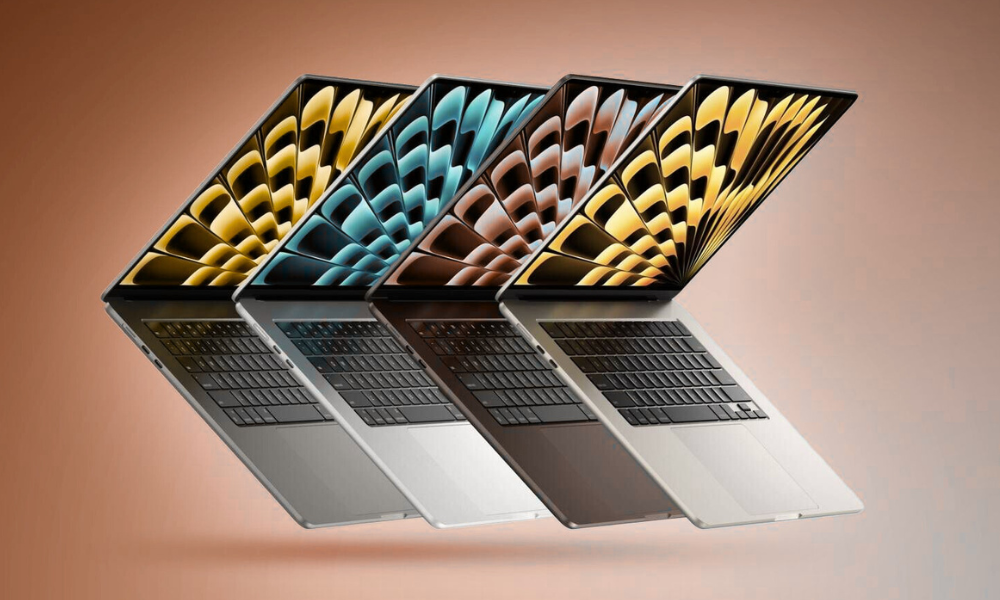
Apple MacBook Air M4 (13-inch, 2025)
What makes it great
- Noticeably faster than older M1 and Intel MacBook Air models
- Sleek, lightweight design that’s easy to carry to class
- Can run two external monitors along with the laptop screen
- New 12MP Center Stage webcam keeps you in frame during video calls
Things to keep in mind
- 256GB storage may feel limited after a year or two
- Apple charges a lot for RAM and storage upgrades
Why students will love it
The biggest surprise with the M4 MacBook Air isn’t just the new processor — it’s the lower starting price. In India, this model is expected to begin around ₹95,000–₹1,00,000, making it more affordable than previous generations.
You still get Apple’s excellent build quality, long battery life and a fast, smooth macOS experience. The M4 chip brings a useful boost in speed, better external display support, and a sharper webcam that’s ideal for online classes and meetings. There’s also a new light blue colour option for those who want something different from the usual silver and grey.
Who should buy it
College students who need a reliable, fast laptop for daily work, users who want long battery life and a lightweight design, and people looking for a premium laptop without paying MacBook Pro prices.
Who should skip it
If you mostly use your laptop at home and want a larger screen, the 15-inch MacBook Air may be a better fit. Power users working with heavy graphics, 3D or professional video editing should consider the MacBook Pro instead.
Buy on Amazon
Key Specifications
Battery lifeUp to 15 hours
WeightAbout 1.24 kg
Display13.6″ 2560 × 1664
ProcessorApple M4 (10-core CPU)
Graphics10-core integrated M4 GPU
RAM16GB unified memory
Storage256GB SSD
Operating SystemmacOS Sequoia
ChargingMagSafe
Editor’s note
For students in India looking for a powerful, stylish and long-lasting laptop under ₹1 lakh, the MacBook Air M4 is one of the best options available. It delivers excellent performance, superb battery life and a premium Apple experience — all in a slim and easy-to-carry package.
Best Laptop for Creators
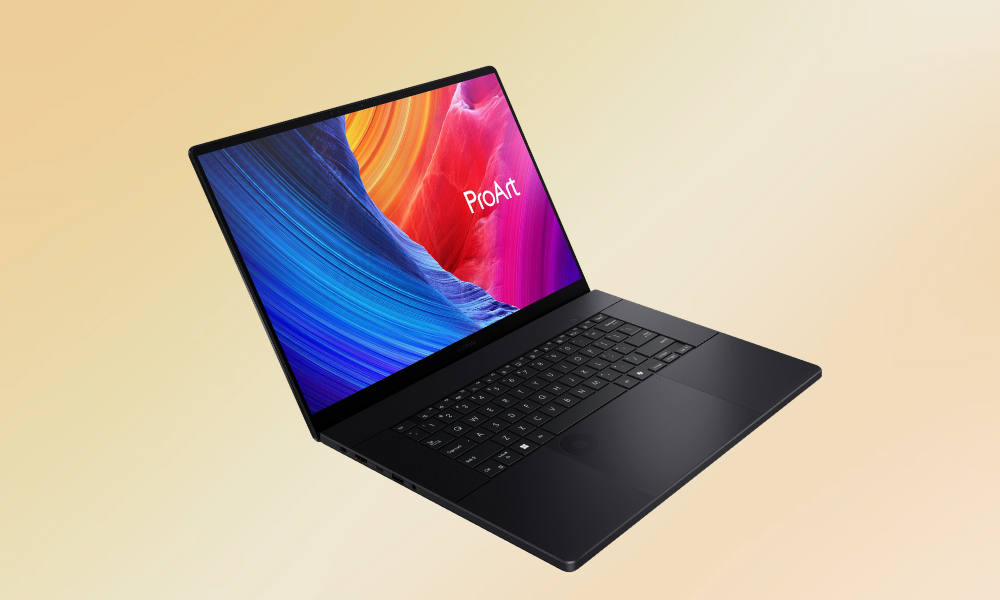
Asus ProArt 16
Pros
- Gorgeous 16-inch, 4K OLED touchscreen
- Strong component lineup with RTX 5070 GPU
- Slim and light for its size and performance class
- DialPad controller on the touchpad is very useful
Cons
- Runs hot and loud under heavy load
- 3D frame rates are good but not class-leading
- Display bezels are a bit thick
- Stylus is not included for the touchscreen
Why we like it
The ProArt 16 combines a stunning 16-inch 4K OLED display with serious graphics horsepower in a reasonably slim and lightweight chassis. It delivers the kind of performance that creators need for Adobe apps, CapCut, and other demanding creative workloads.
Powered by AMD’s Ryzen AI 9 HX 370 processor and paired with NVIDIA’s RTX 5070 GPU, the ProArt 16 is built for heavy-duty creative work. With 32GB of RAM and a massive 2TB SSD, it offers plenty of speed and storage for large video files, projects, and games. The inclusion of an SD card slot also makes it especially appealing for photographers and videographers.
Who it’s best for
Creators and media editors who need a powerful, color-accurate laptop for video editing, design, and content production — with the bonus of being able to game when work is done.
Who shouldn’t get it
Gamers who are trying to squeeze out the absolute highest frame rates possible from an RTX 5070 laptop.
Buy on Amazon
Specs & Configurations
Battery life10 hr, 52 min
Weight4.08 pounds
Display16″ 3,840 × 2,400 OLED
ProcessorAMD Ryzen AI 9 HX 370
GraphicsNVIDIA GeForce RTX 5070
Memory32GB
Storage2TB SSD
Operating systemWindows 11 Home
Best Copilot+ Laptop in India
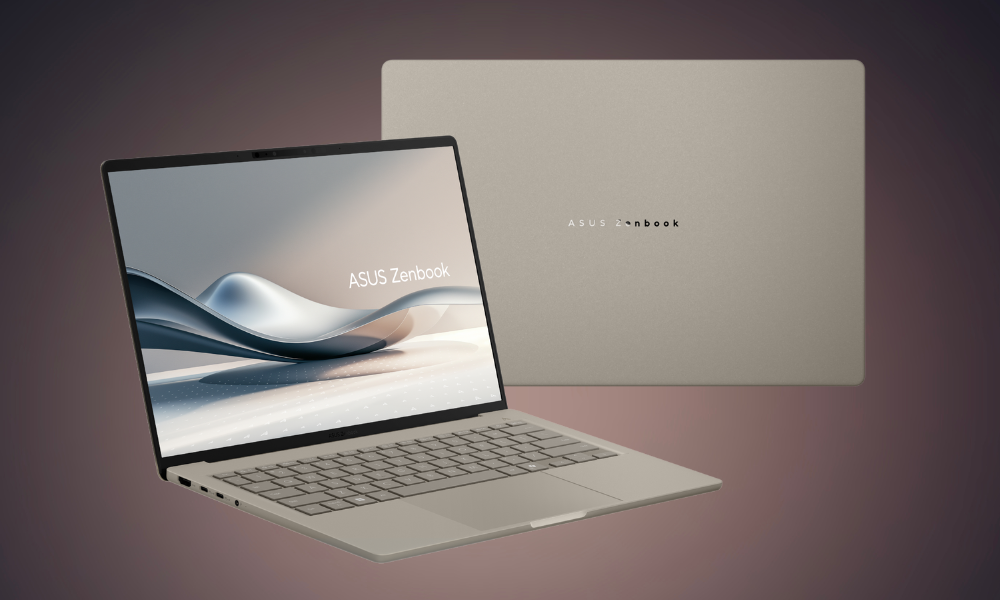
ASUS Zenbook A14
What you’ll like
- Ultra-light body that still feels solid
- Battery that easily lasts more than a full day
- OLED screen at this price point is a big bonus
- Comes with generous RAM and fast SSD storage
What could be better
- Snapdragon processor is not as fast as Intel or AMD chips
- Touchpad doesn’t feel premium
- Built-in speakers are just average
Why it stands out
The ASUS Zenbook A14 is one of the lightest Windows laptops you can buy in India, weighing under 1 kg. Despite that, it feels strong thanks to ASUS’s Ceraluminum build. It also delivers over 24 hours of battery life, making it perfect for students and professionals who don’t want to hunt for charging points.
A major highlight is its 14-inch OLED display, which offers deep blacks and bright colours—something rarely seen in laptops priced around ₹1.1 lakh to ₹1.3 lakh. You also get 32GB RAM and a 1TB SSD, making it excellent for multitasking, documents, browsing and media work.
Who should buy it
College students, business travellers, remote workers, and anyone who wants a super-light, long-lasting Windows laptop.
Who should skip it
If you use older Windows software or specialised apps that don’t work well on Snapdragon (ARM-based) laptops, it’s safer to choose a model with an Intel or AMD processor.
Buy on Amazon
Key Specifications
Battery lifeUp to 24 hours
WeightApprox. 980 g
Display14″ OLED, 1920 × 1200
ProcessorQualcomm Snapdragon X
GraphicsQualcomm Adreno
RAM32GB LPDDR5
Storage1TB SSD
Operating SystemWindows 11 Home
Final Verdict
For Indian buyers looking for a lightweight, premium and long-lasting Copilot+ PC, the ASUS Zenbook A14 is an excellent choice. It’s not built for heavy gaming or editing, but for portability, battery life and everyday productivity, it delivers outstanding value in the ₹1–1.3 lakh range.